Installation requirements - SSO
- Former user (Deleted)
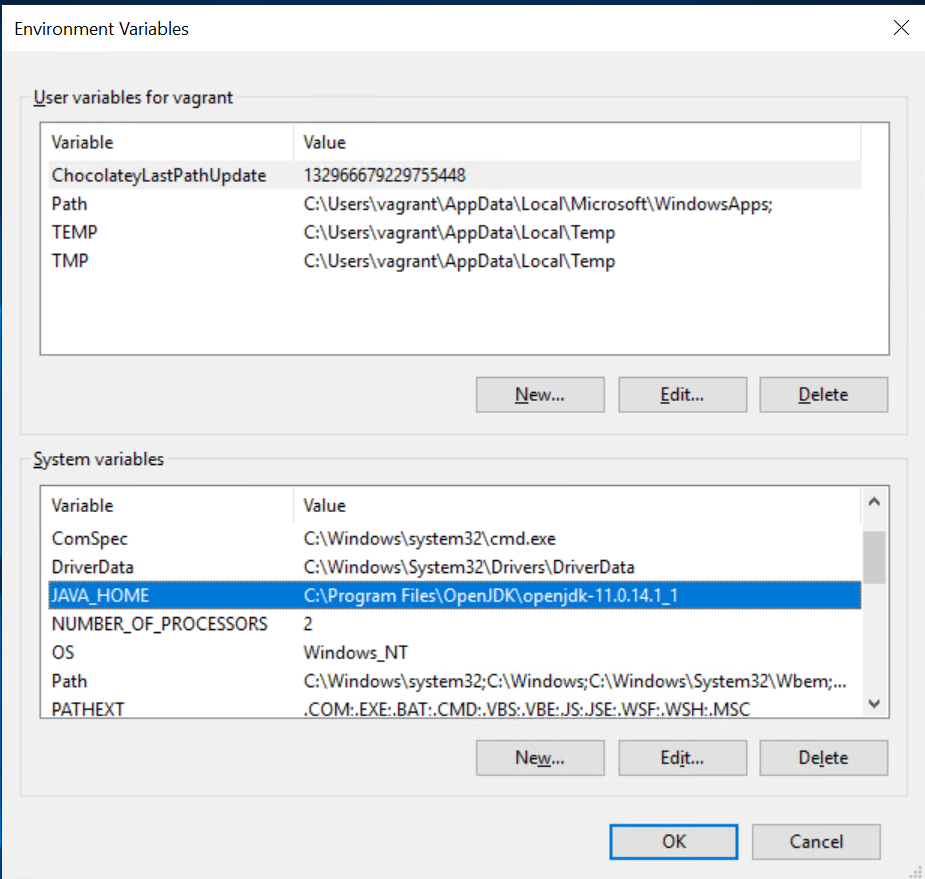
Set up a system wide JAVA_HOME environment variable You may have to modify the /etc/sudoers file so that the environment variables are properly exported for the root user. Use the visudo command for this. Note that you will need to restart the root's shell so the settings will take effect. In Windows, environment variables can be set Control Panel → System and Security → System → Advanced system settings → Environment Variables → System Variables → New... For production installations you must have a load balancer or proxy in front of Ubisecure SSO with the following suggested configuration. => => NOTE: you may not desire to allow => * Either Ubisecure requires SSL encrypted HTTP communications to operate securely. These pages provide instructions on setting up SSL with the provided Tomcat server (Ubilogin Server) using Certificate Authority-signed SSL server certificate. A self-signed certificate is automatically generated by the installation scripts for test purposes. A production environment requires a server certificate issued by a trusted third party (Certificate Authority, CA). Since SSO version 8.4 with Accounting Service feature a PostgreSQL Server RDBMS installation is a required system component. If you have already installed Ubisecure CustomerID you can use the existing PostgreSQL installation but you need to create a specific database for Accounting Service storage needs. Guidelines are given here for linux and here for Windows. Please refer to Identity Server System Recommendations and Supported PlatformsJava and JAVA_HOME
Defaults    env_reset
Defaults    env_keep =  "COLORS DISPLAY HOSTNAME HISTSIZE INPUTRC KDEDIR LS_COLORS"
Defaults    env_keep += "MAIL PS1 PS2 QTDIR USERNAME LANG LC_ADDRESS LC_CTYPE"
...
# Add line below to keep the JAVA_HOME environment variables as a root user
Defaults    env_keep += "JAVA_HOME"
Network requirements
Component Publicly facing URL (default port 443) Paths Internal root URL* Example Ubisecure SSO https://login.example.com/uas/*/password-reset/*/password/*/cdc/*http://localhost:8080https://login.example.com/uashttp://localhost:8080/uasUbisecure SSO Management https://manage.example.com/ubilogin/*/logviewer/*/search/*/sso-api/*/otpserver/*http://localhost:8081https://manage.example.com/ubiloginhttp://localhost:8080/ubiloginUbisecure Accounting Service browser endpoints https://accounting.example.com/accounting/*
/oauth2/*/login/*
/api/*/actuator/* end points publiclyhttp://localhost:8084https://accounting.example.com/accounting/reporthttp://localhost:8084/accounting/reporthttp or https scheme, host name, and the port number can be defined during installation.System software requirements
Supported operating systems