CertAP integration - SSO
- Former user (Deleted)
Analytics
In this page, Ubisecure Certificate AP is integrated with Ubisecure SSO. Ubisecure Certificate AP works as a SAML authentication method from the point of view of Ubisecure SSO.
Configuring Ubisecure SSO
A new authentication method is to be created corresponding the Certificate AP
Open Ubisecure SSO Management and create a new SAML authentication method
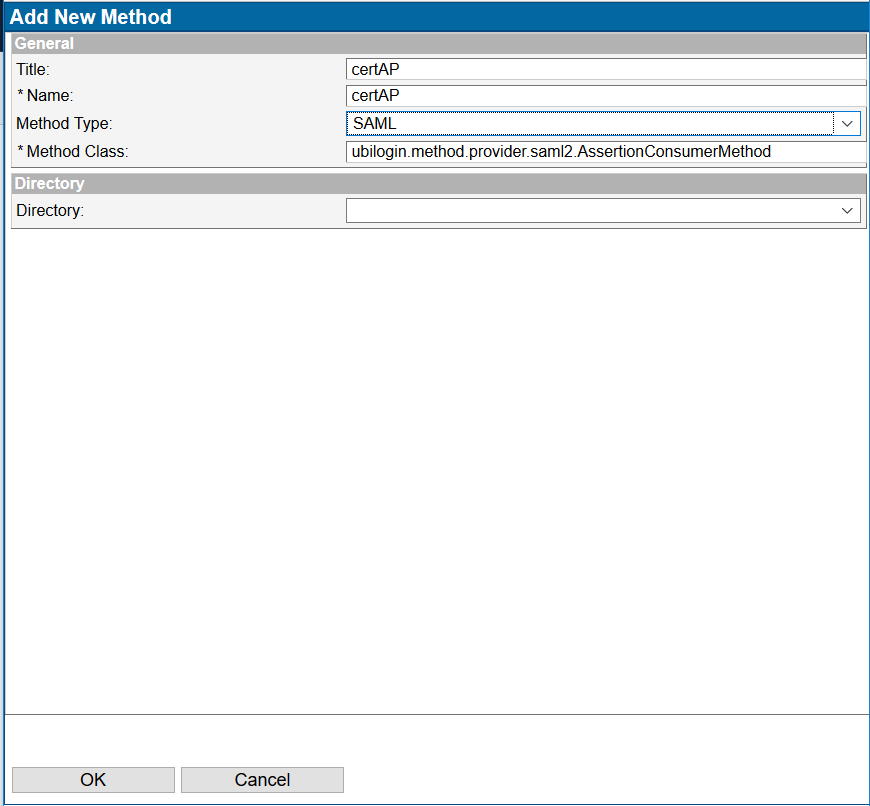
Figure 1. Creating the SAML method
Obtain the SAML2 metadata of Certificate AP by either:
downloading it from the respective server at
https://certap.example.com:9443/certap/saml2/metadata.xmlthe domain depending on Certificate AP deployment location. You will need a client certificate to be able to do this.generating it on the command line as in the example below:
Listing 1. Generating Certificate AP SAML2 metadata on Linuxjava -classpath '/usr/local/ubisecure/certap/certap/webapps/certap/WEB-INF/lib/*' com.ubisecure.saml2.config.Main Metadata /usr/local/ubisecure/certap/certap/webapps/certap/WEB-INF/uap -idp -f ~/certap-metadata.xml
Listing 2. Generating Certificate AP SAML2 metadata on Windowsjava -classpath '%PROGRAMFILES%\ubisecure\certap\certap\webapps\certap\WEB-INF\lib\*' com.ubisecure.saml2.config.Main Metadata "%PROGRAMFILES%\ubisecure\certap\certap\webapps\certap\WEB-INF\uap" -idp -f "%HOME%\certap-metadata.xml"
Upload the metadata of Certificate AP to the created SAML method. .
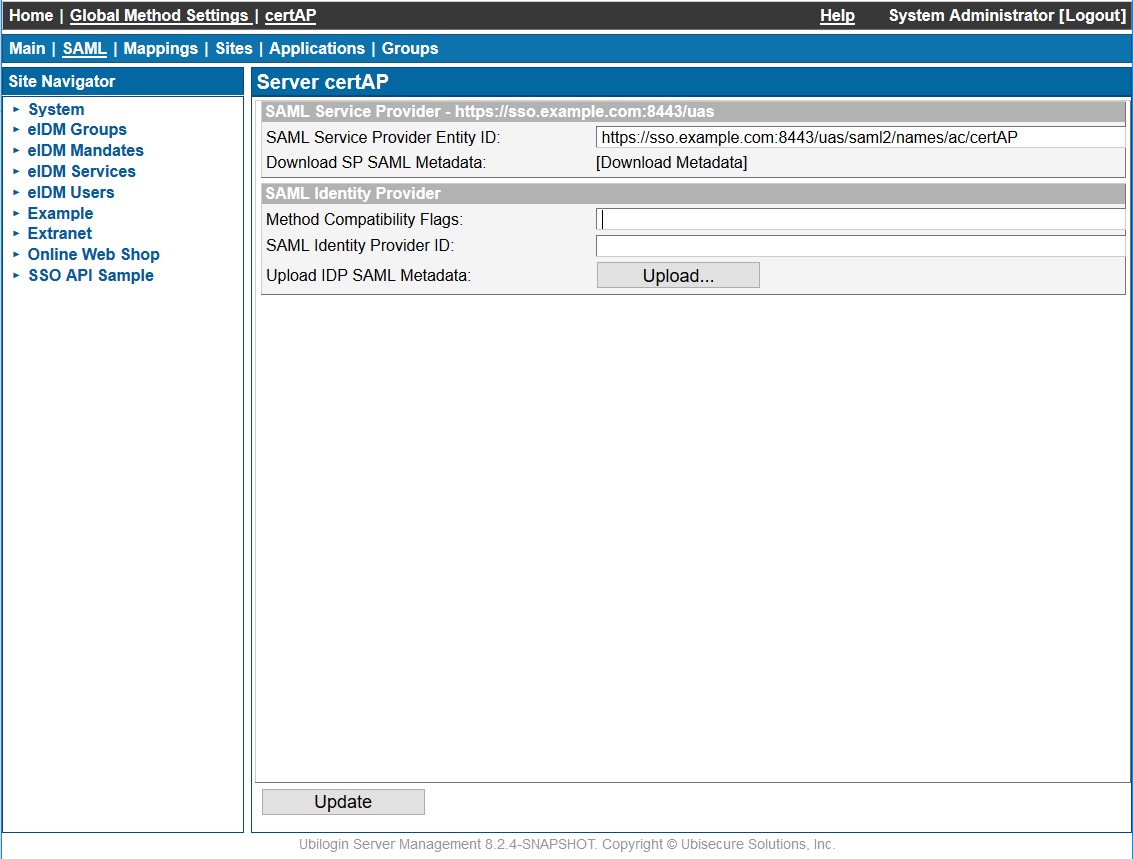
Figure 2. Uploading the metadata of the Certificate AP to the SAML method in Ubilogin SSO
- Enable the method
Set Certificate AP to Trust Ubisecure SSO
The metadata of Ubisecure SSO must be downloaded to the Certificate AP in order to create a trust relationship.
Download the Ubisecure SSO metadata by pressing [Download Metadata] link:
Figure 3. Downloading the metadata of Ubisecure SSO - Place the metadata in
CERTAP_HOME\webapps\certap\WEB-INF\uap\metadata\metadata.xml Restart Certificate AP
Listing 3. Restarting the Certificate AP on Windowscd /d "C:\Program Files\Ubisecure\certap\certap" config\tomcat\update.cmd
Listing 4. Restarting the Certificate AP on Linux/etc/init.d/certap-server stop cd /usr/local/ubisecure/certap/certap/config/tomcat/ ./update.sh /etc/init.d/certap-server start
Now you can log in to an application by using the Certificate AP method. See Ubisecure Management user interface - SSO pages for instructions on how to attach an authentication method to a web application and create a group for users of certificates.